What it says
Open a PO or an agreement and see what it says.
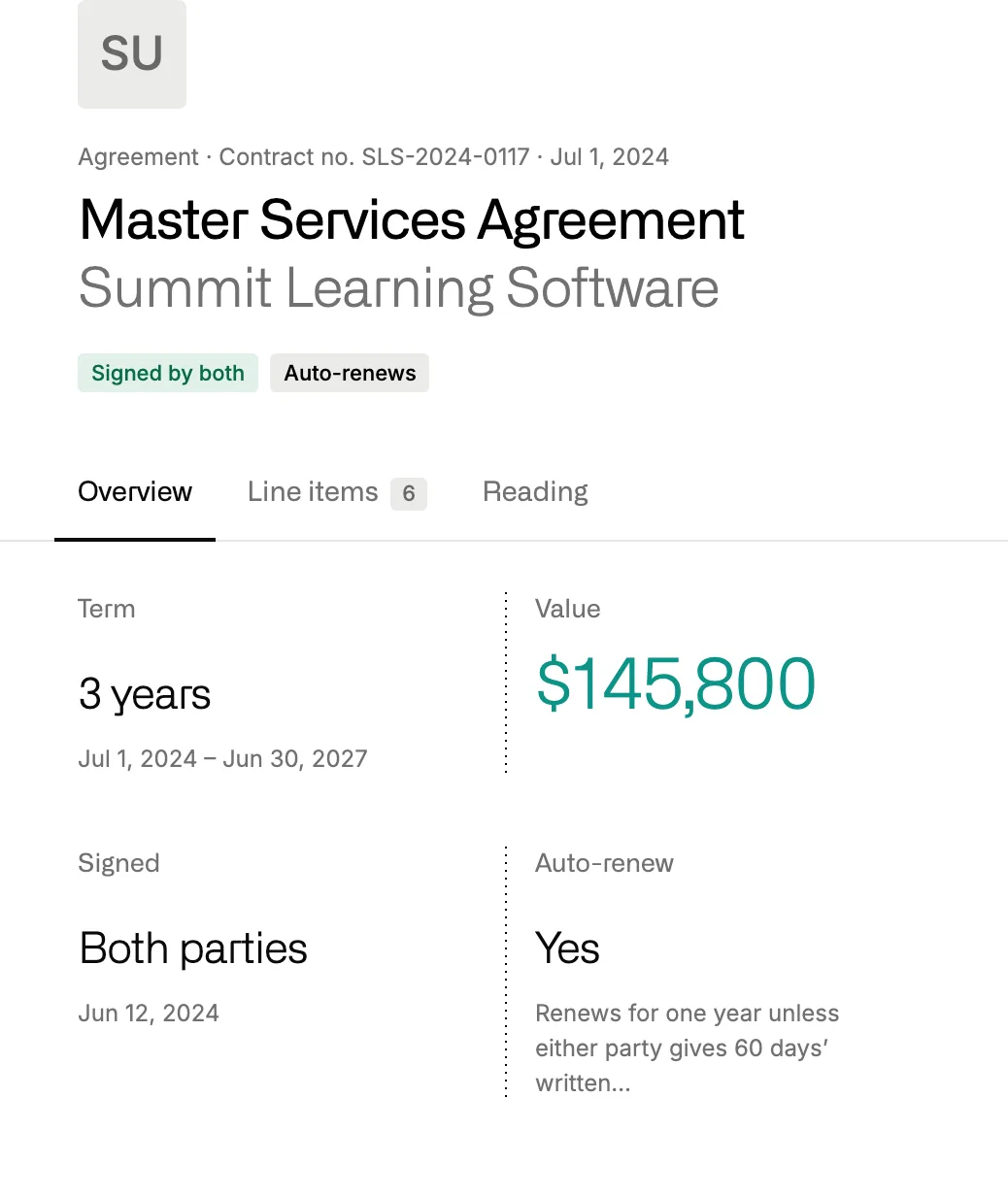
The type, the contract or PO number, the term, the value, who signed and whether it renews on its own sit at the top. The file is right beside them, a click from download.
Library
Every agreement, PO and quote the district uploads is read and filed against its vendor. The briefs, board notes and letters the Assistant writes for your office are kept beside it.
The Library holds the papers your office runs on, and it knows what each one says. Contracts & Spend builds its contract records from these files, and Records Requests pulls its records from them. The Assistant reads them page by page and saves its finished work here, where a colleague can find it next month.
01 · Uploads
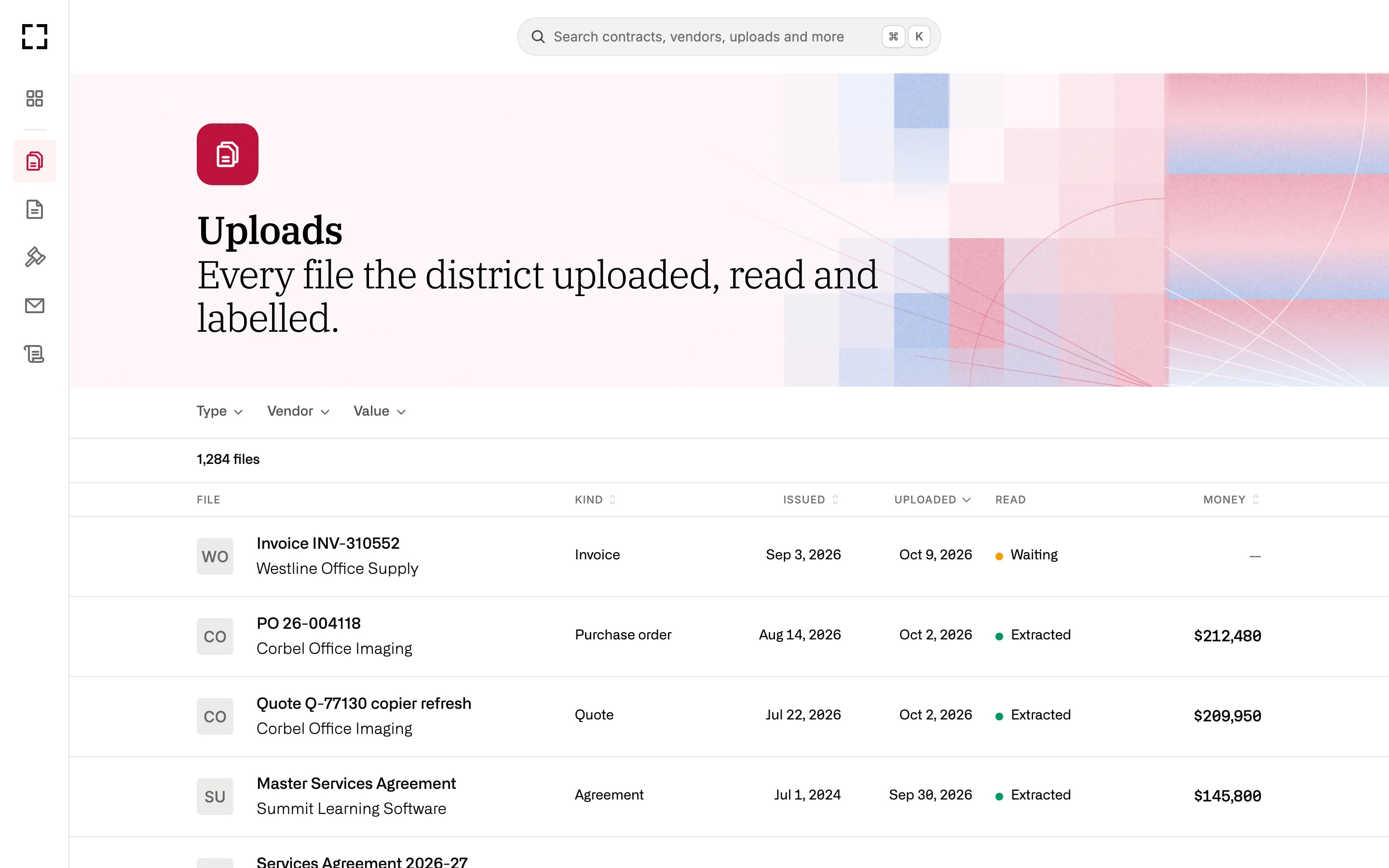
Send a folder of PDFs and each file comes back typed and dated, matched to its vendor and to the contract it belongs to. Nothing is rejected, and nobody has to remember which drive the signed copy went to.
01
Agreement, PO, change order, amendment, quote, invoice, board approval and more.
02
A second copy of a file points to the first, so the list doesn’t fill up with repeats.
03
A PO sent with its quote and insurance certificate becomes three papers, kept together.
04
A printed “doing business as” name is read as the same company as its owner.
What it says
The type, the contract or PO number, the term, the value, who signed and whether it renews on its own sit at the top. The file is right beside them, a click from download.
Where it belongs
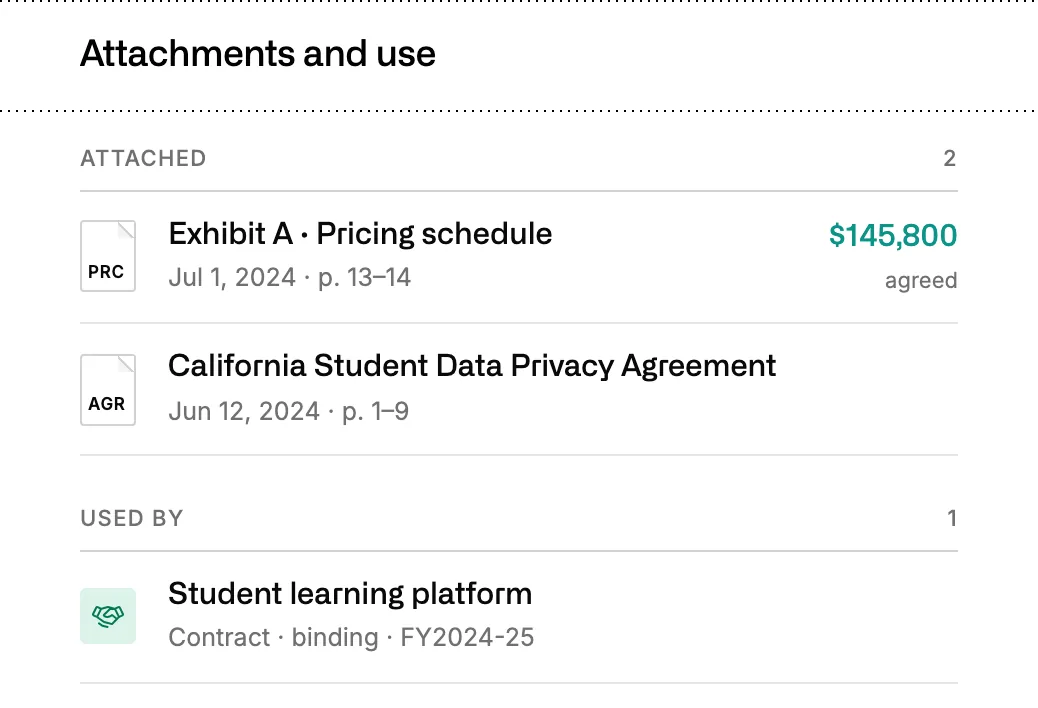
An agreement lists its exhibits and the contract it feeds, so the pricing exhibit and the data privacy agreement are a click from the contract page.
02 · Answers
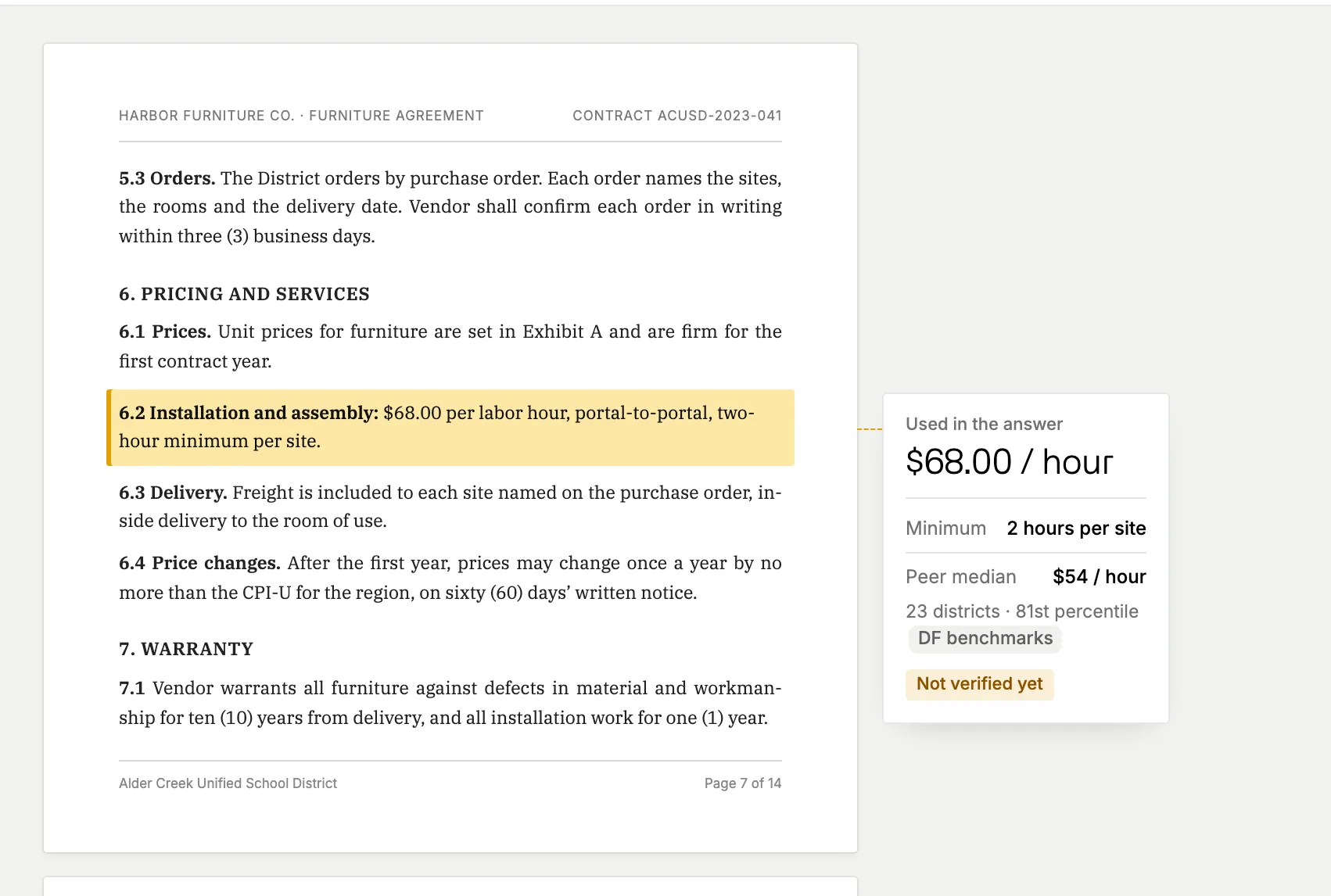
The Assistant searches the Library by vendor, type, PO number or fiscal year, opens the paper and reads the pages that matter, scanned ones included. It quotes the clause with its page and section, so you can check it before you repeat it to a trustee.
See what the Assistant doesTry asking
03 · Review
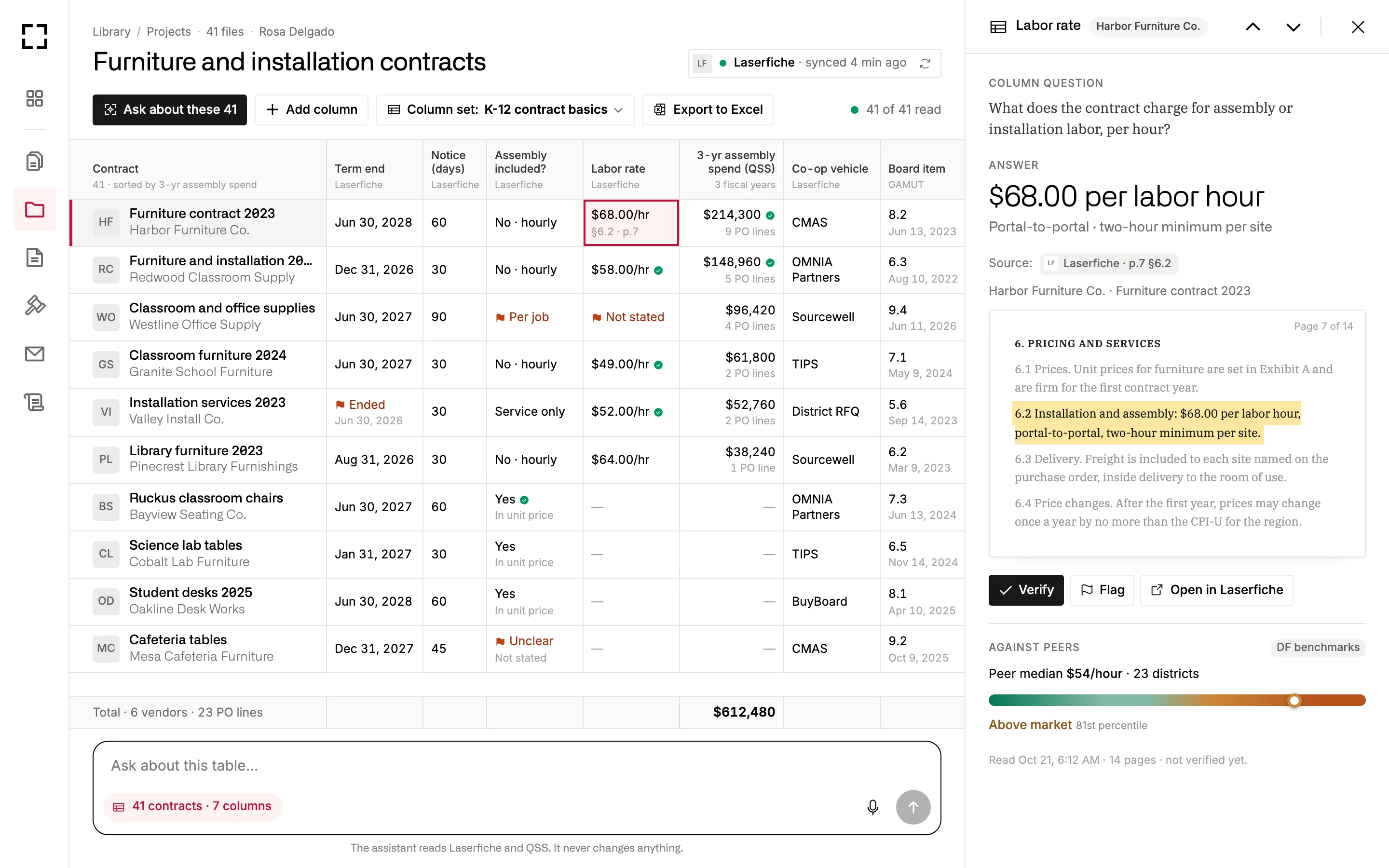
Pick the contracts and add a column for each thing you need to know, like the term end, the notice days or the labor rate. The Assistant fills every cell from the papers and links it to its page, and you verify or flag each one before you export the table to Excel.
01
Pick them by vendor or category, or bring in a folder you keep in Laserfiche.
02
Write the question once and the Assistant answers it for every contract.
03
Open a cell to see the clause it came from, highlighted on its page.
04 · Shelves
Briefs, analyses, board notes and letters land on Library shelves when they’re done. They belong to the district, so anyone on your team can open one without asking you to forward it.
Every number in a document has a numbered source, with the page when it came from a paper. Export it to Word or PDF, or share a link with a colleague.
Try asking
Turn the speech and OT rate analysis into a brief for cabinet.
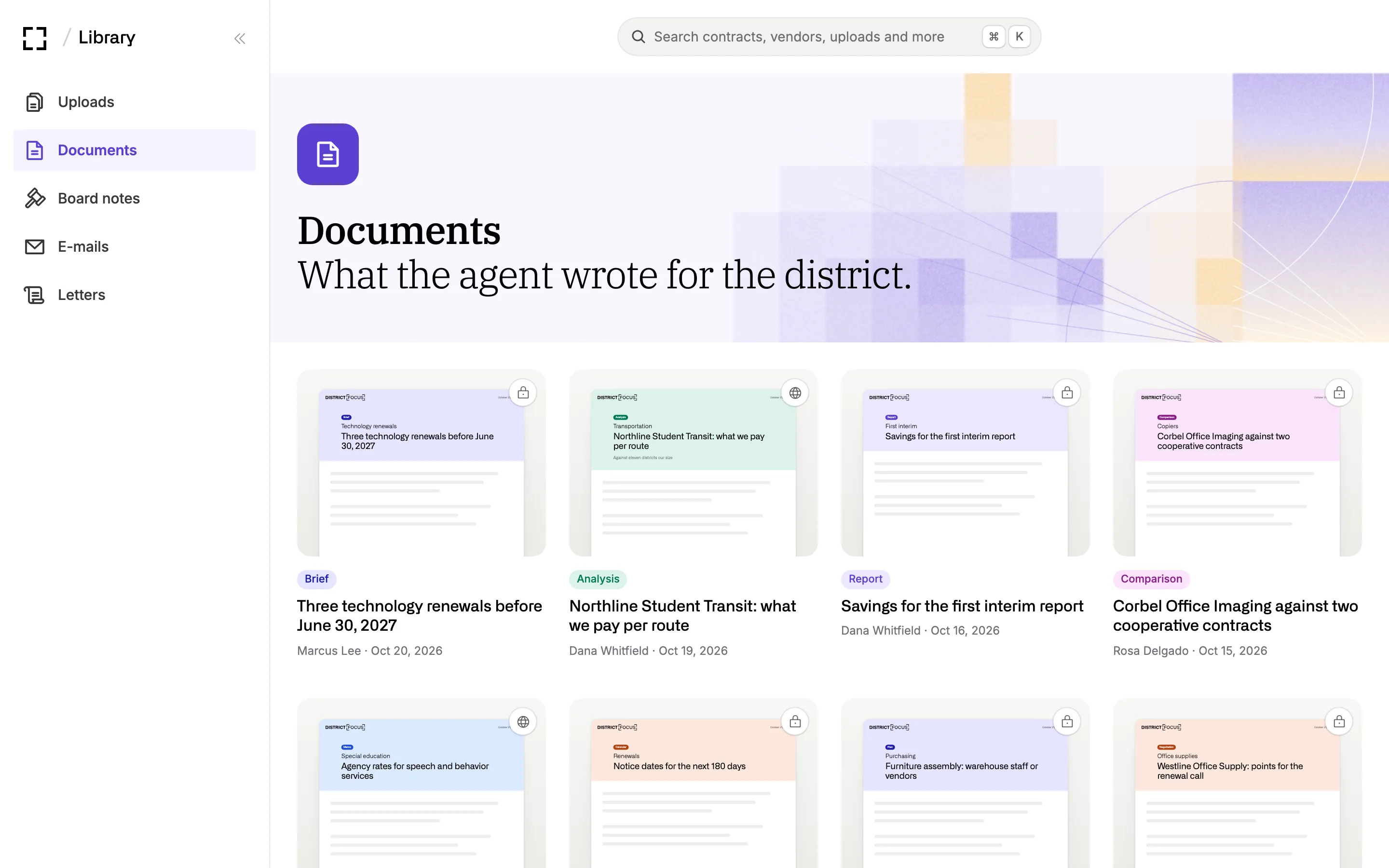
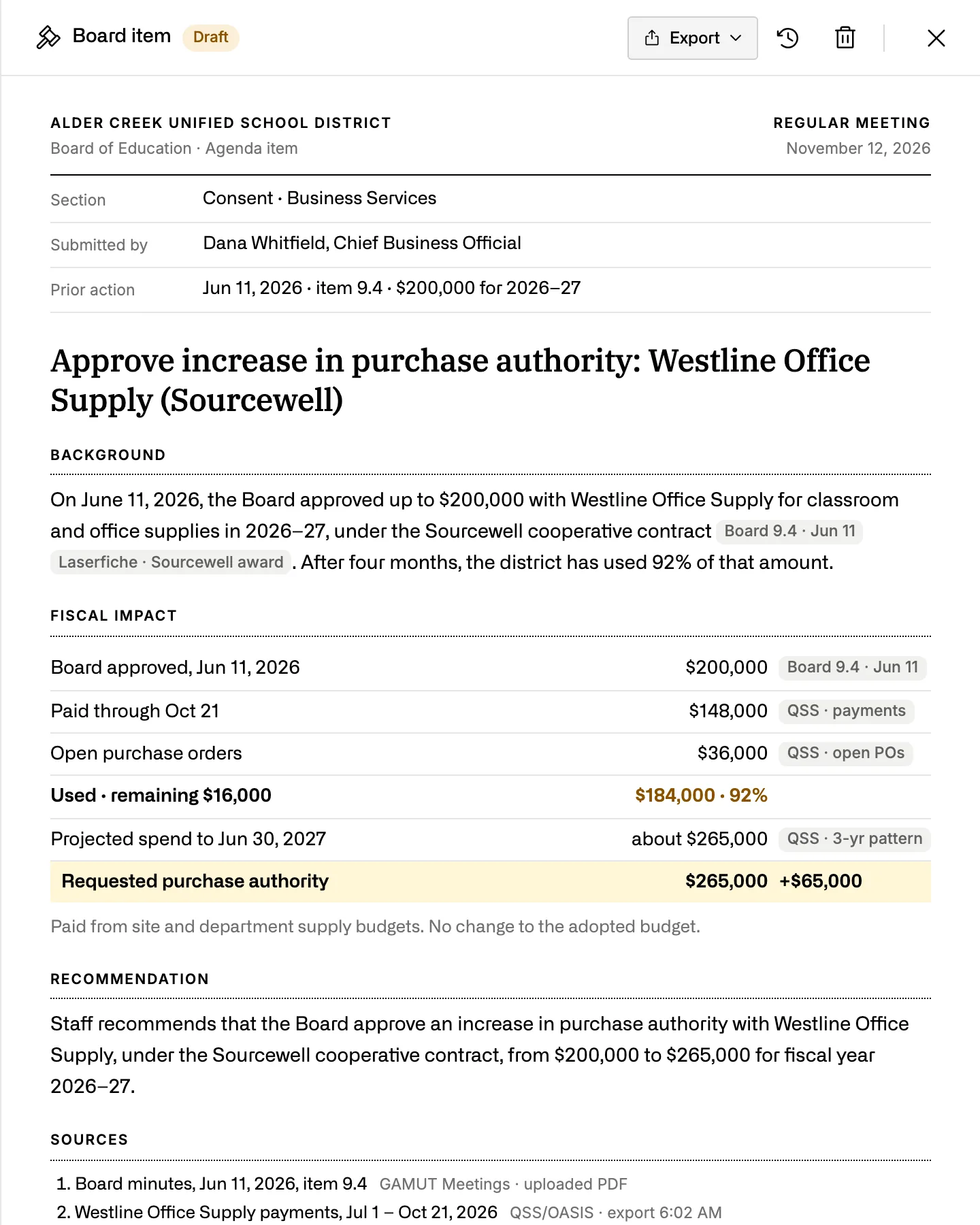
An agenda item with background, fiscal impact and a recommendation, a memo to trustees, or an answer to a trustee’s question, each with its sources.
Try asking
Write the board item to raise the Westline purchase authority.
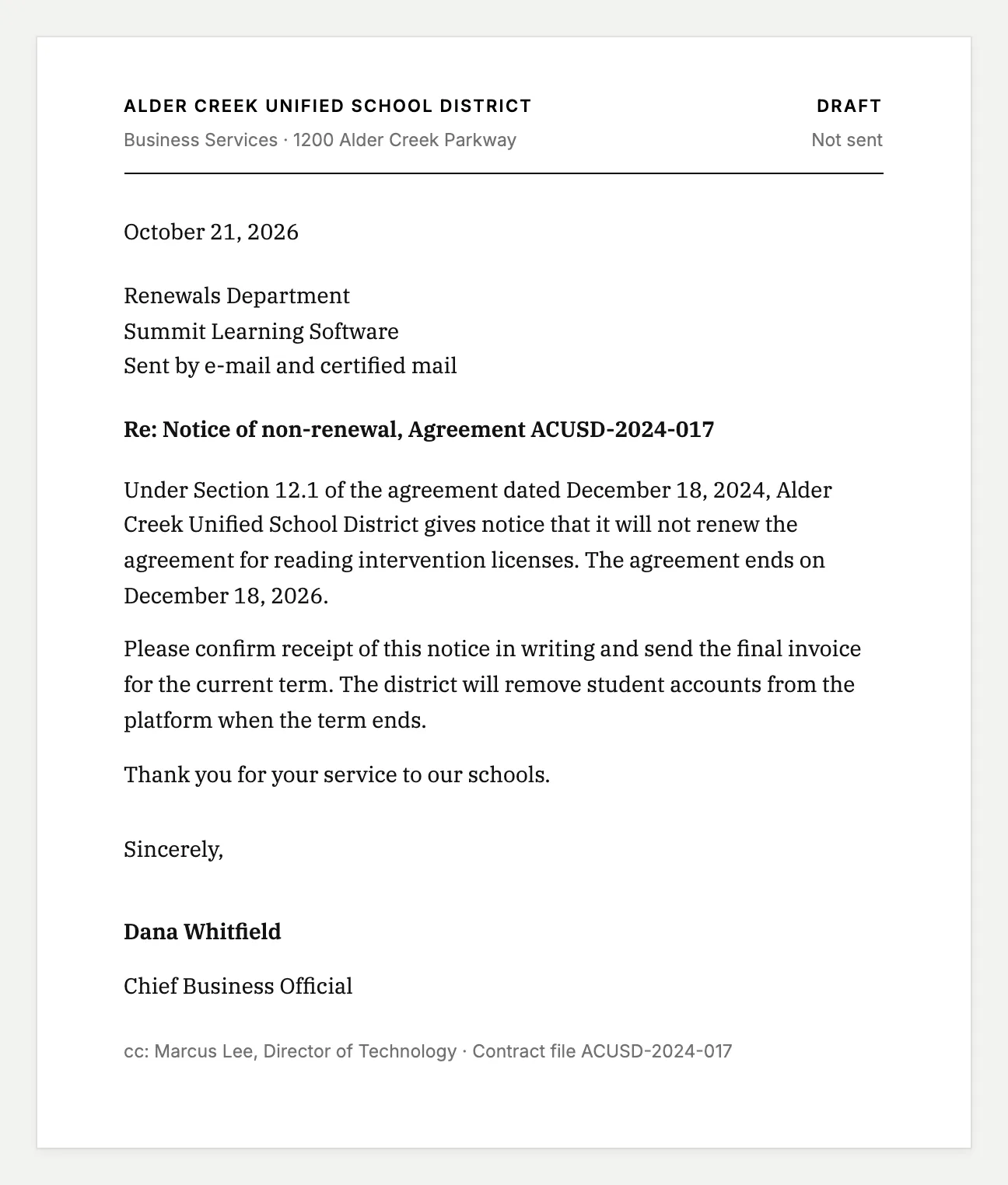
Notices, quote requests and replies to vendors download as PDFs, with your name in the signature block.
Try asking
Draft the non-renewal notice for Summit Learning Software.
05 · Sources
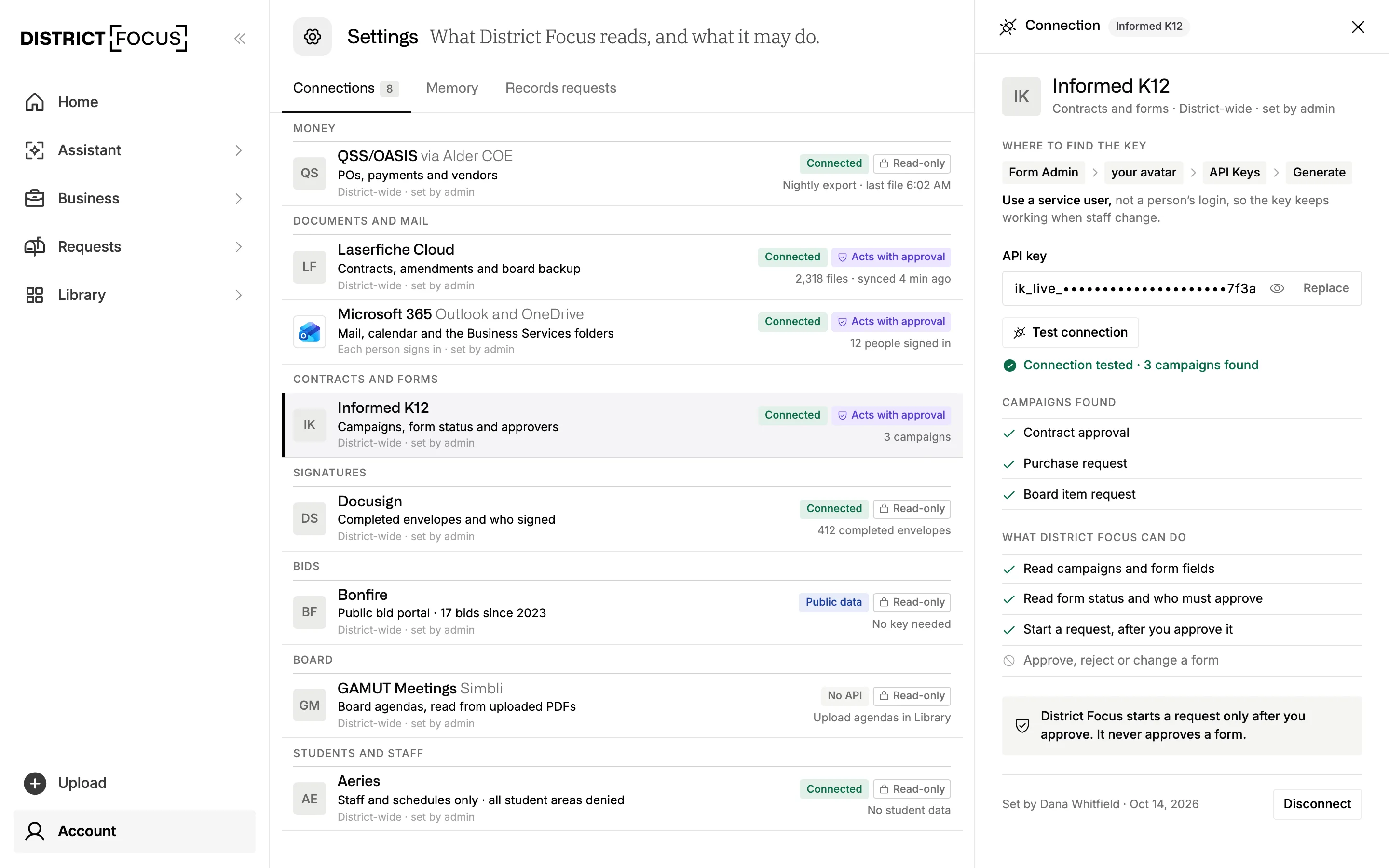
Connect Laserfiche, Docusign or OneDrive once, and new files show up in the Library, read and filed like any upload. Your admin decides what District Focus may do in each system, and read-only is the default.
06 · Search
Type a vendor, a title or a PO number and results come back grouped by kind, each with a View all. You see only your district’s records and your own chats. Questions about what a paper says go to the Assistant, which reads the pages.
⌘K From any page, it searches

Assistant
Hand it the question. It finds the papers and saves the finished work here.
Contracts & Spend
One record per vendor, with spend, renewals and prices against districts your size.
Records Requests
Contract and PO requests start with the papers the Library already holds.
We’ll show you how District Focus reads a district’s papers, the table the Assistant builds from forty contracts and the documents it saves for your team. Bring your privacy questions to the same call.