Trust
Your district’s data,
in plain answers.
This page answers what your IT director and your counsel will ask: where your data is stored, who can open it, what the AI does with it and what leaves your office.
01Public records
Is what our staff type a public record?
Your district’s counsel decides that. These are the facts they’ll ask us for.
- Where it’s kept
- Chats, drafts and documents are stored in your district’s own space in District Focus, on servers in the United States.
- Who can open it
- Within your district, a chat is open only to the person who started it and the colleagues they bring in. Drafts and documents are open to your district’s team and to the District Focus staff assigned to your district.
- What’s public
- Nothing is published until someone in your district publishes it, and the system records who did.
- What goes out
- Nothing the Assistant drafts is sent until one of your staff approves it.
- How long it’s kept
- Your records follow your district’s retention policy, and each person can delete their own chats at any time.
02Other districts
Can other districts see our data?
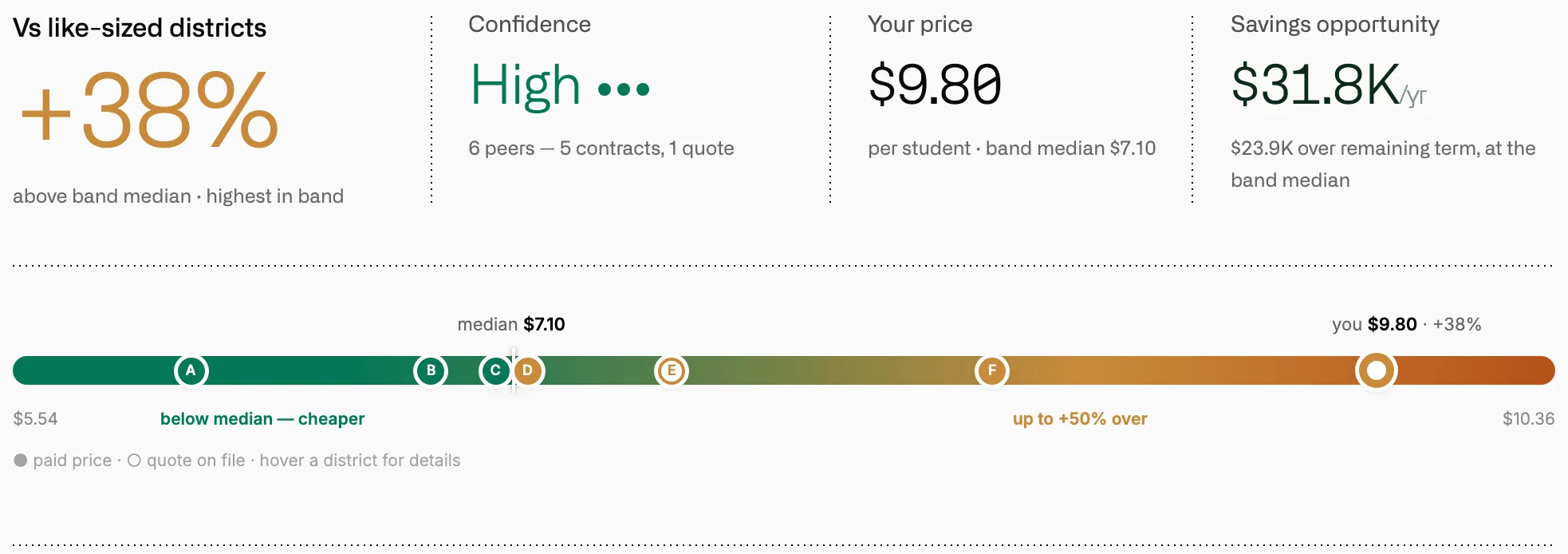
They can’t open your files, documents or chats. They do see your contract prices in peer comparisons, because contract prices are public records in California.
- Your space
- Each district works in its own space. People from another district can’t open your files, documents, chats or records requests.
- The Assistant
- The Assistant works inside that space too. It can’t reach another district’s files, chats or documents.
- Peer comparisons
- Comparisons show what similar districts paid for the same product, and other districts see what you paid. They’re built from contract prices and enrollment, so your chats, drafts and notes play no part in them.
- Opting out
- If your district turns peer comparisons off, your prices come out of other districts’ comparisons as well.
- Demos
- We run our demos on a made-up district, so your records never appear in another district’s meeting.
03Inside your district
Who in our district sees what?
Your chats and the Assistant’s notes about you are yours. Briefs, letters and drafts belong to your district’s team.
- Chats
- Nobody else in your district can open your chat unless you bring them into it.
- Memory
- The Assistant keeps short notes on how you like to work. Nobody else in your district sees them, and you can edit, pause or delete them in Settings.
- Documents
- Anyone on your district’s team can open its briefs, letters and e-mail drafts.
- Publishing
- A document becomes public only when someone in your district publishes it, and the system records who did.
- District Focus staff
- Only the District Focus staff assigned to your district can open it, and every visit is logged.

04The AI
What does the AI do with our data?
It reads your records to do the work you ask for. Neither we nor the AI providers train models on them.
- Models
- The Assistant runs on Anthropic’s Claude models. Google’s Gemini models read scanned pages.
- No copies kept
- Every AI call goes to a model endpoint that keeps no copy of what we send.
- Web searches
- When the Assistant searches the web, it sends a short search phrase to a search service. It’s told to keep personal and student information out of every search.
05Actions in your systems
Can the Assistant act on its own?
It acts only where your admin allows it, and it asks you before anything is sent.
- Connections
- Each system connects read-only. Your admin decides, system by system, whether the Assistant may act there and which actions need approval.
- Sending
- In the Assistant, nothing is sent until you approve it. You see each step first, with who it goes to.
- Records Requests
- No letter or released record goes out until a staff member sends it. Requesters do get automatic receipts, sign-in codes and status notices.

06Student information
What about student information?
Contract and spending work doesn’t run on student records, and the Assistant won’t keep a memory about a student.
- Your files
- Some files you send do name a student, such as a special education service agreement or an e-mail in a records request. Those files stay in your district’s space.
- Memory
- Each note is checked before it’s saved, and a note that names a student, a parent or a guardian is refused.
- Redaction
- In Records Requests, student details and other private information are marked for redaction, each with its reason, and your staff decide what’s withheld.

07Logs and retention
What’s logged, and how long is it kept?
Every action the Assistant takes is logged, and your records follow your district’s retention policy.
- The Assistant
- Each action is logged with who asked, which tool, which records and when. Your admin can see the log and export it.
- Records Requests
- Every step of a request is in its Activity log, with who did it and when.
- Deleting a chat
- Delete a chat, and its messages go with it, along with the memory notes drawn from it.
- When someone leaves
- When a person leaves your district, their Assistant memory there is erased and their scheduled workflows stop.

Questions your IT director will ask
Here are the short answers a technology review needs. For anything else, write to us.
Where is our data stored?
In the United States. The database runs on Convex and files are stored in Cloudflare R2, both in the US.
Is our data encrypted?
Yes. Data moves between your browser and our servers over encrypted connections, and stored data is encrypted at rest.
How do staff sign in?
Through WorkOS, with their district Google or Microsoft account. If your district uses single sign-on, staff can sign in through your own identity provider instead.
Do your providers hold security audits?
Yes. Our hosting, file storage and sign-in providers each hold a SOC 2 Type II report.
Do you use analytics or error tracking?
Yes. An error tracker tells us when something breaks, and product analytics show us which parts of the app get used. Both run in the United States.
Can we send you our security questionnaire?
Please do. Send it through the contact form or to contact@districtfocus.com, and we’ll answer it in writing. We’re also glad to get on a call with your IT director or your counsel.
Bring your IT director to the demo.
We’ll show you the Assistant at work and go through your privacy review on the same call.